Application settings permissions when using workspaces instead of tenants

Versions (relevant - OpenSearch/Dashboard/Server OS/Browser): 3.3.0

Describe the issue:

When using workspaces instead of multitenants, how can I restrict non-admin users from changing Application settings (/app/settings)?

Regular users are mapped to the static kibana_user role.
Other roles only grant them indices_all on a specific index pattern.

Is it possible to prevent/restrict non-admin users from changing these settings, because these settings are global?

Configuration:

opensearch_security.multitenancy.enabled: false
opensearch_security.multitenancy.tenants.enable_private: false
data_source.enabled: false
workspace.enabled: true
data.savedQueriesNewUI.enabled: true
explore.enabled: true
opensearchDashboards.branding.useExpandedHeader: false
uiSettings:
  overrides:
    "theme:version": "v9"
    "home:useNewHomePage": true
    "query:enhancements:enabled": true
@gstorme According to the documentation, only the workspace admin or owner can edit the workspace.

But the application settings are not bound to a workspace, they seem to be global.
I’m talking about the settings in /app/settings, with this notification on it:

Be careful in here, these settings are for very advanced users only. Tweaks you make here can break large portions of OpenSearch Dashboards. Some of these settings may be undocumented, unsupported or experimental.

A regular user mapped to the role kibana_user can make changes to it.

@gstorme I’ve tested Workspaces and Application Settings
I understand that Application Settings is a new name for Advanced Settings in the old UI.

The write permission in Advanced/Application Settings is controlled by the tenant write permission.
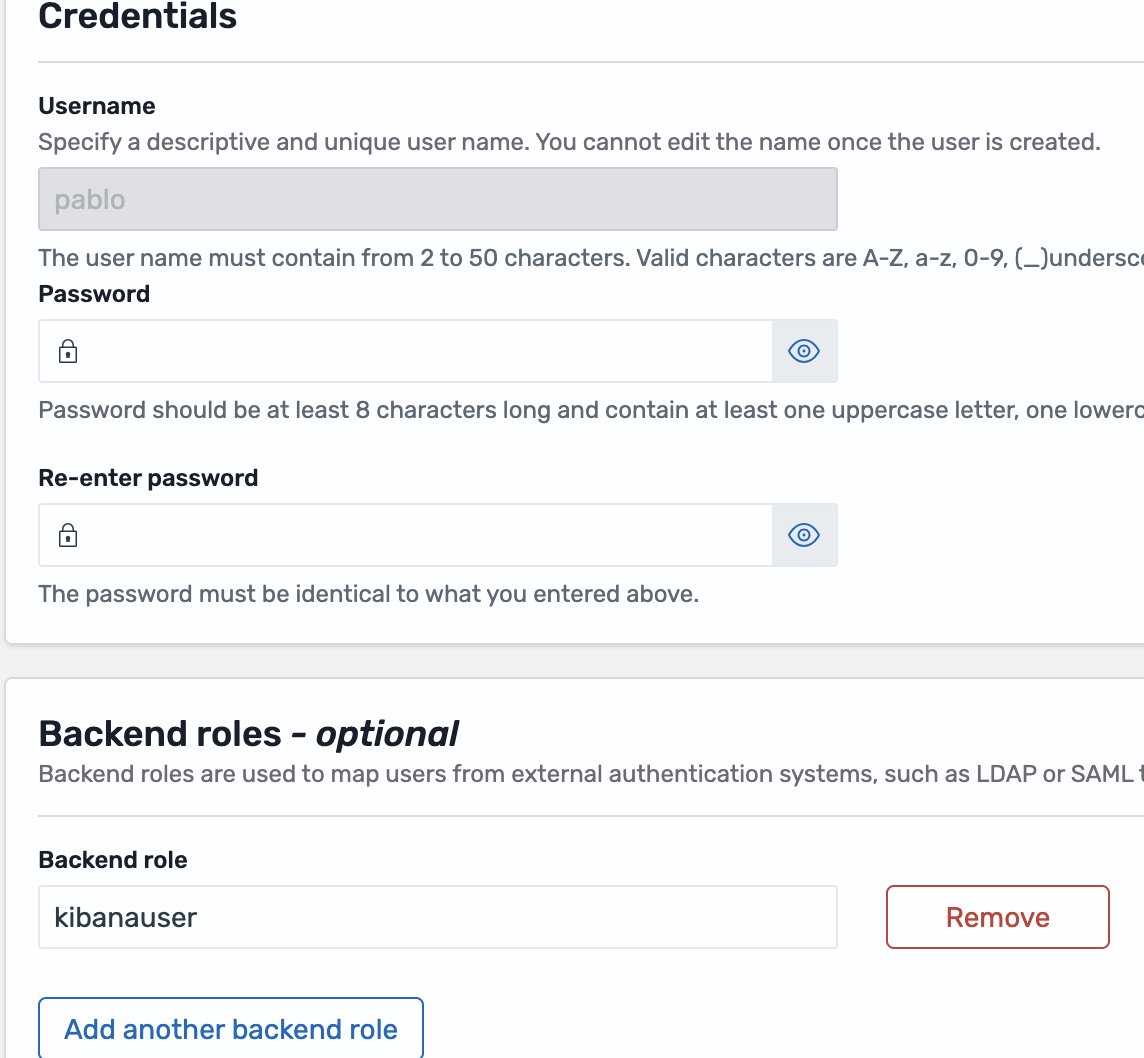
When you assign the kibanauser backend role to a user, you’ll notice in the authinfo that the user also gains access to the global_tenant.

curl --insecure -u pablo:Eliatra123 https://localhost:9200/_plugins/_security/authinfo?pretty
{
  "user" : "User [name=pablo, backend_roles=[kibanauser], requestedTenant=null]",
  "user_name" : "pablo",
  "user_requested_tenant" : null,
  "remote_address" : "172.18.0.1:51996",
  "backend_roles" : [
    "kibanauser"
  ],
  "custom_attribute_names" : [ ],
  "roles" : [
    "own_index",
    "kibana_user"
  ],
  "tenants" : {
    "pablo" : true,
    "global_tenant" : true
  },
  "principal" : null,
  "peer_certificates" : "0",
  "sso_logout_url" : null
}

The tenancy in Workspaces UI doesn’t exist; however, the OpenSearch Dashboards still rely on the tenant permission.

If you remove the kibanauser backend role from the user, the same user will lose the ability to list all the Workspace-related objects (Workspaces, Assets, Data sources, etc).

The same as in the old UI, you need write permission to create OpenSearch Dashboards objects, but at the same time you gain write access to Advanced Settings.

I wouldn’t call it a bug, as that’s how OpenSearch Dashboards was designed. You could consider a Feature Request in OpenSearch Dashboards GitHub repo (GitHub · Where software is built).