Versions (relevant - OpenSearch/Dashboard/Server OS/Browser):
- OpenSearch:
2.19.1
- OpenSearch Dashboards:
2.19.1
- OS:
SUSE Linux Enterprise Server
- Browser:
Chrome
Describe the issue:
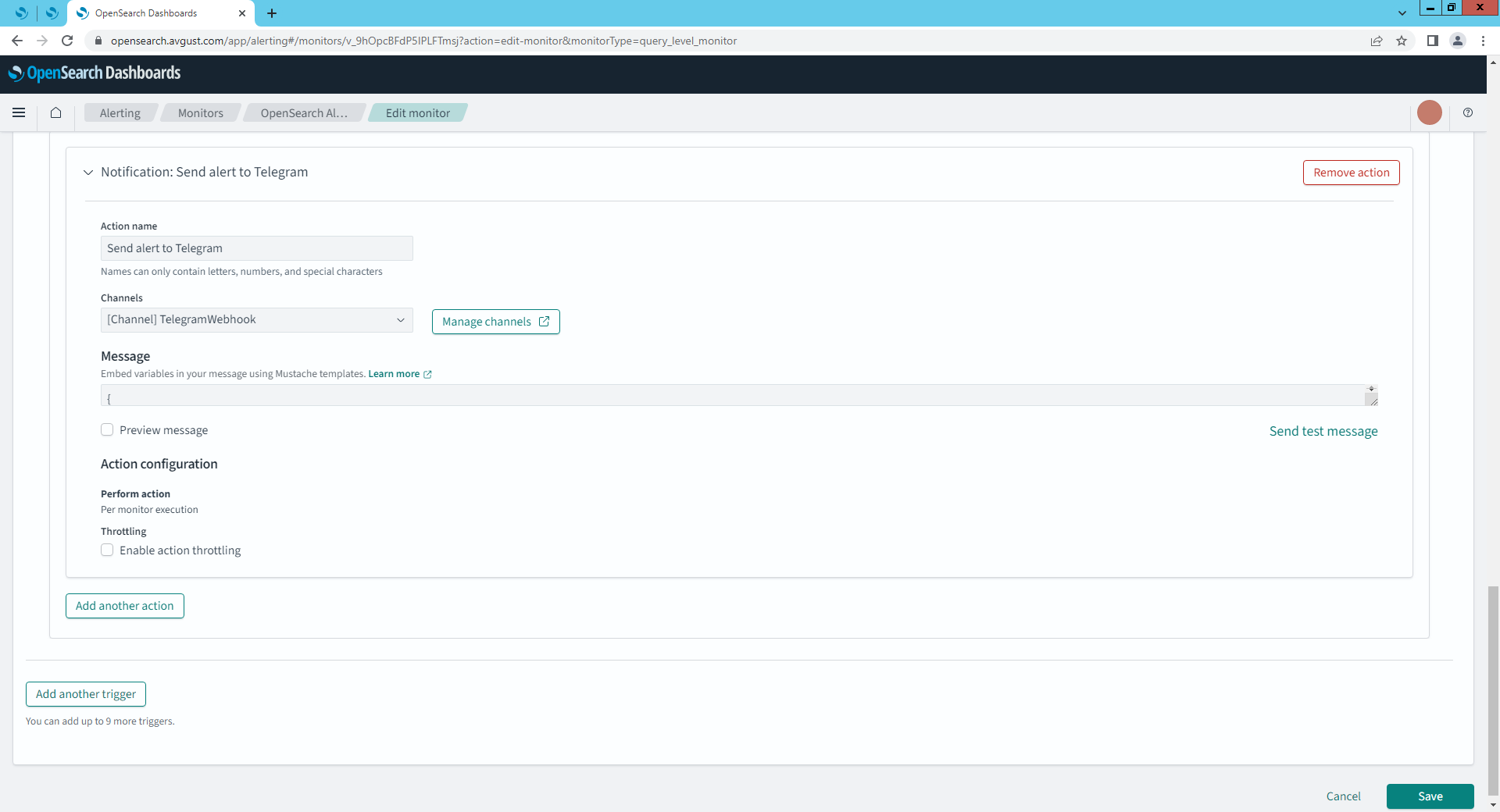
I have a Query Level Monitor configured in OpenSearch Alerting. The action execution policy is set to “Per alert” by default, and the option to change it to “Per execution” is unavailable (grayed out and non-clickable) in the Dashboard UI. As a result, alerts that are acknowledged remain in the ACKNOWLEDGED state indefinitely, and new notifications are no longer sent until manually resolved. I need alerts to trigger notifications every time the monitor condition is met, regardless of the acknowledgment status.
The official documentation states that it should be possible to switch the action execution policy to “Per execution,” but the UI does not allow this change.
Configuration:
Here’s the relevant part of my Query Level Monitor configuration:
“triggers”: [
{
“query_level_trigger”: {
“id”: “…”,
“name”: “Error logs alert”,
“condition”: {…},
“actions”: [
{
“name”: “Send alert to Telegram”,
“destination_id”: “…”,
“message_template”: {…},
“throttle_enabled”: false
// action_execution_policy cannot be set via UI
}
]
}
}
]
Relevant Logs or Screenshots:
Is there a known issue or workaround for this behavior? Could this be a bug in version 2.19.1, or is there another recommended way to achieve the desired notification behavior?
@Pan-Vad I believe this is by design. The “ACKNOWLEDGED” means you are aware of the issue and are working on it, therefore no further alerts for this will be sent. Which is of course very useful in preventing alert fatigue. If you want the alerts to keep triggering you should not acknowledge them until the issue is fix.
The alerts are automatically triggered again once there was at least one cycle without the previously reported issue and it is getting triggered again
Thank you for the explanation — I understand the purpose of the ACKNOWLEDGED state to prevent alert fatigue.
However, in my use case this behavior is problematic.
I’m using a Query Level Monitor that triggers when the word "error" appears in log messages across multiple hosts and services. The alert is based on a simple wildcard match in the message field (e.g., *error*), and grouped by host.
If I acknowledge the alert once, no new notifications are sent, even if:
- New and different services start logging errors,
- Errors appear from completely different hosts,
- The error messages themselves are completely new.
Effectively, acknowledging one alert suppresses all future alerts from this monitor, regardless of the actual content or source of the log.
This is not ideal for our case, as we need to be notified each time a new host reports an error, even if previous alerts are still in the ACKNOWLEDGED state.
I understand that the default behavior may be by design, but in that case, we should at least be able to:
- Set Per execution for Query Level Monitors (currently not possible via UI in 2.19.1),
- Or automatically reset/resolve alerts after some interval or change in grouping key (e.g., by host).
Are there any plans to allow Per execution mode or more fine-grained alert grouping in Query Level Monitors?
Thanks again for your help!
Perhaps I’m not fully understanding. If you want alerts to be triggered at every execution regardless of whether it has been alerting already in the last 5 minutes (for example), would you not simply skip acknowledging the alert? And therefore receive all the alerts as they come in during each execution?
I’m currently working with a test OpenSearch stack and learning how to configure monitors and alerting. While testing a monitor I created (based on the presence of the word "error" in log messages), I manually clicked Acknowledge in order to better understand how it works and what changes in the alert lifecycle.
That’s when I ran into the problem described earlier:
After acknowledging the alert once, no further notifications were sent, even though the monitor condition continued to be true (i.e., new errors were still being logged from different hosts and services).
So yes — I now understand that I could simply avoid clicking Acknowledge in production. But in this case, I wanted to test the full lifecycle. And I realized that in Query Level Monitors, there is no way to recover or trigger new notifications unless the condition becomes false and then true again — even if the incoming data is completely different.
I’ve also read the documentation and tried to manually reset the alert via API, but ran into issues — some of the documented endpoints didn’t work or returned handler errors. That’s why I decided to post here, in case someone else had encountered a similar use case and found a good workaround.
@Pan-Vad Have you tried using per document monitor. This will be applied against each incoming document and alert regardless of whether the previous alert is acked or not. I do not believe it supports wildcards however, therefore assuming the field that is being searched is analysed, “error” will trigger most cases. But for other cases such as BufferError etc, you would need to add extra queries (up to 10 are supported) Further details are available in the docs