Versions OpenSearch/Dashboard/Server AWS Hosted - 2.19 OS/Browser MacOS/Chrome Version 140.0.7339.133):
Describe the issue:
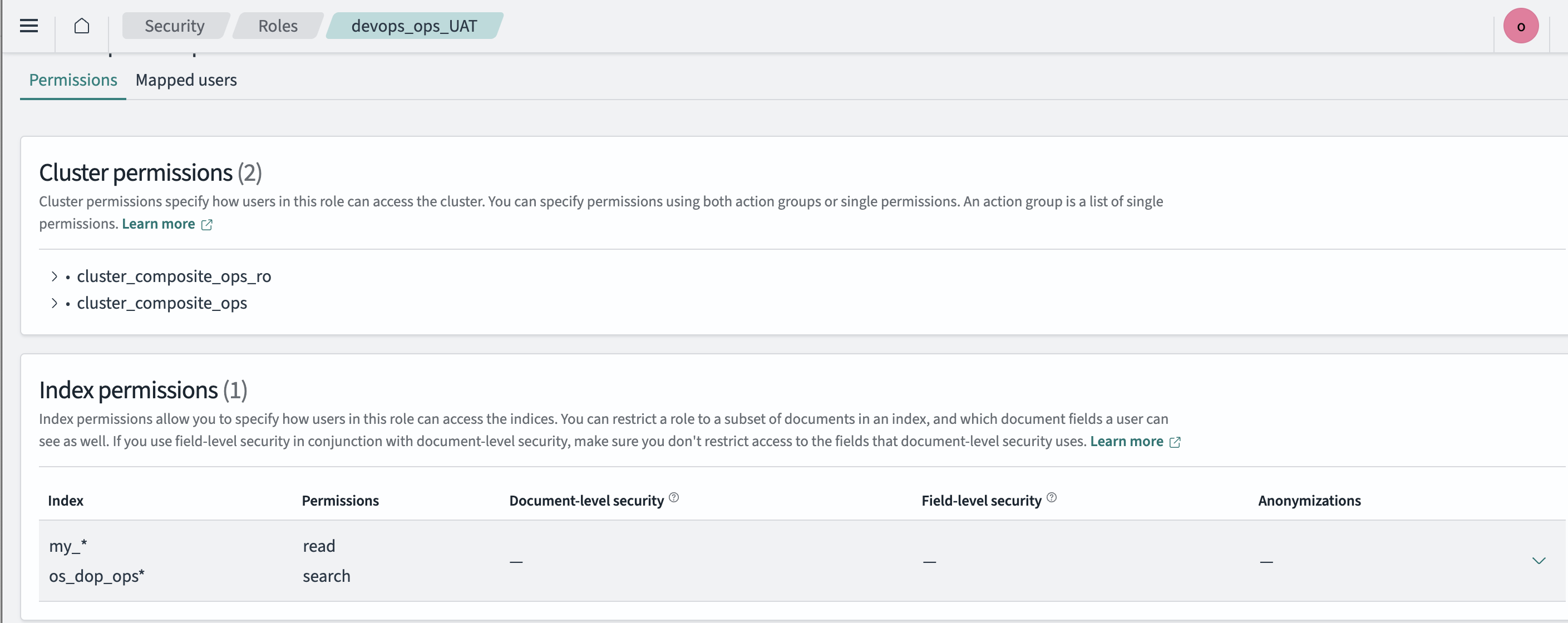
When creating a role by adding in an index pattern that the role is allowed to read and search the UI does not show anything. I have found a semi workaround but it is not permanent. This workaround involves changing the index permissions to add “*” and loading the discover page in another incognito browser window. Then editing the role to remove the “*” from the index patterns.
From my initial thoughts it was a problem with my config, however I can not seem to work out what permissions I am missing.
GOAL: Create a role that the users in that role can only view the index(s) that are added to the role to be able to read and search. As well as be able to see those index(s) that are on dashboards.
This may be a simple mis-understanding of the way the security permission work but I would really appreciate some guidance here as I have tried for the last week with multiple configs and do not seem to be progressing (you can only google so much, until you ask the community experts for assistance 
Configuration:
Role name = devops_ops_UAT
Needs permissions to the index - os_dop_ops* and my_*
Relevant Logs or Screenshots:
This is the config that has been setup